

How to Automate Repetitive Tasks in Business: A Comprehensive Guide for Small Businesses
Estimated reading time: 10 minutes
Key Takeaways
- Automation streamlines operations, reduces errors, and enhances efficiency for small businesses.
- It empowers teams to focus on strategic, creative work, not replace people.
- Key areas for automation include administrative tasks, customer service, sales, marketing, and financial management.
- Essential tools comprise CRM systems, Integration Platforms as a Service (iPaaS) like Zapier, and specialized software.
- To start, identify major pain points, begin with small pilot projects, train your team, and continuously monitor performance.
- Embracing automation leads to significant cost reduction, improved employee morale, enhanced customer experience, and vital business scalability.
Table of Contents
- How to Automate Repetitive Tasks in Business: A Comprehensive Guide for Small Businesses
- Key Takeaways
- Why Automate Repetitive Tasks? The Undeniable Benefits
- Increased Efficiency & Productivity
- Cost Reduction
- Reduced Human Error
- Improved Employee Morale
- Enhanced Customer Experience
- Scalability
- Key Areas to Automate Repetitive Tasks in Your Business
- a. Administrative & Office Operations
- Automate Data Entry
- Automate Appointment Scheduling
- Document Management & Report Generation
- b. Customer Service & Engagement
- c. Sales & Lead Management
- d. Marketing Operations
- e. Financial Management
- Automate Invoicing and Billing
- Automate Payroll Process
- Expense Tracking & Financial Reporting
- Essential Tools & Solutions for Business Automation
- The Role of CRM (Customer Relationship Management)
- Dedicated Automation Platforms (Integration Platforms as a Service – iPaaS)
- Specialized Software
- Cloud-based Solutions and Integrations
- Getting Started with Business Process Automation: A Practical Roadmap for Small Businesses
- Identify Your Biggest Pain Points and Most Repetitive Tasks First
- Start Small, Test, and Iterate
- Research and Select the Right Tools for Your Specific Needs
- Train Your Team Effectively
- Monitor Performance and Continuously Optimize
- Conclusion: Unlock Your Business’s Full Potential Through Automation
- Frequently Asked Questions
Every small business owner knows the feeling: being stuck in the “daily grind.” It’s that endless cycle of tasks – data entry, scheduling appointments, sending invoices, or answering the same customer questions again and again. These jobs are necessary, but they chew up valuable time and stop you from focusing on what really matters: growing your business. What if there was a way to break free from this grind?
This is where automation comes in. Automation means using clever technology to do tasks that you would normally do by hand. For small businesses, it’s not about replacing people. Instead, it’s about giving your team superpowers, letting technology handle the boring stuff so your people can do more important, creative work. It’s about learning how to automate repetitive tasks in business to reclaim your time, cut down on mistakes, and help your business truly grow.
Small business owners are often swamped by a myriad of daily operational tasks that, while necessary, are repetitive, time-consuming, and divert focus from strategic growth initiatives. These range from data entry to customer inquiries, leading to burnout and missed opportunities. The core promise of automation is to streamline operations, reduce the potential for human error inherent in repetitive work, and create a more efficient, scalable business model. www.businessautomationinsights.com/promise-of-automation
This guide will show you the amazing benefits of automation. We’ll look at the best places in your small business to start automating. We’ll also explore the important tools and solutions available, including powerful CRM automation for small business. Finally, we’ll give you a simple roadmap to get started, so your business can achieve steady and strong growth.
Why Automate Repetitive Tasks? The Undeniable Benefits
The decision to automate repetitive tasks in business is a smart one, driven by many great benefits. These benefits can truly change how your small business works for the better.
Increased Efficiency & Productivity
Automation helps tasks get done much faster than if a person did them by hand. Imagine a special computer program, often called a bot, that can process hundreds of invoices or update customer records in just a few minutes. If a person had to do this, it would take hours! This speed means your employees are free to focus on more important work. They can spend their time on things like planning for the future, solving tricky problems, building strong relationships with customers, or finding new sales. This makes your whole business much more productive.
Studies often indicate significant time savings (e.g., 20-50%) in departments that adopt automation. www.forbes.com/automation-efficiency-gains
Cost Reduction
While you might need to spend a little money at first to get automation tools, it leads to big savings over time. Automation means you won’t need to pay as much overtime to employees who are bogged down by manual work. It also cuts down on the costs of fixing mistakes that humans sometimes make. Plus, your business can grow much larger without needing to hire a huge number of new people for routine tasks. It helps you use your money and resources in the smartest way possible.
Automation reduces the need for extensive overtime, minimizes expenses associated with rectifying human errors, and allows businesses to scale operations without proportionally increasing headcount. It optimizes resource allocation. www.entrepreneur.com/cost-saving-automation
Reduced Human Error
Doing the same task over and over again can be boring and tiring, and that’s when people tend to make mistakes. A single wrong number in your financial reports or a mistake in a customer’s address can cause big problems. This could lead to rule-breaking or upset customers. Automated systems, once they are set up correctly, do tasks with perfect accuracy every time. This almost completely gets rid of those human errors and makes sure all your information is correct and reliable.
A single misplaced digit in financial reporting or customer data can lead to significant problems, from compliance issues to customer dissatisfaction. Automated systems, once configured, perform tasks with consistent accuracy, virtually eliminating these mistakes and ensuring data integrity. www.inc.com/human-error-automation
Improved Employee Morale
Let’s be honest, nobody likes doing dull, repetitive tasks. They can make employees feel unmotivated and even make them want to leave their job. By automating these “mind-numbing” activities, businesses empower their teams to engage in more challenging, creative, and rewarding work. This change makes for a happier workplace, boosts job satisfaction, and can greatly reduce how often employees leave their jobs.
By automating these “mind-numbing” activities, businesses empower their teams to engage in more challenging, creative, and rewarding work. This shift fosters a more positive work environment, increases job satisfaction, and can significantly reduce employee churn. www.hbr.org/automation-employee-morale
Enhanced Customer Experience
Automation helps you respond to customers faster and deliver service that is always the same high quality. Think about it:
- Chatbots can give instant answers to simple questions.
- Automated emails can send timely updates about orders.
- Smooth processes mean customer problems are solved quicker.
This constant speed and reliability build trust and loyalty with your customers, leading to a much better experience for them.
This consistency and speed build trust and loyalty, leading to a superior customer experience. www.zendesk.com/customer-experience-automation
Scalability
As your business grows bigger, manual ways of doing things can become a big problem, slowing everything down. Automation gives you the tools to grow your operations smoothly. Automated systems can handle a lot more work – like more customer leads, more orders, or more customers – without you needing to put in a lot more manual effort. This gets your business ready for strong, ongoing growth.
Automation provides the infrastructure to scale operations seamlessly. Automated systems can absorb increased workloads (e.g., more leads, orders, customers) without a proportionate increase in manual effort, positioning the business for sustained expansion. www.gartner.com/scalability-with-automation
Key Areas to Automate Repetitive Tasks in Your Business
Knowing exactly which parts of your business to automate is key. For small businesses, picking the right areas can make the biggest difference. Let’s look at some important places to start.
a. Administrative & Office Operations
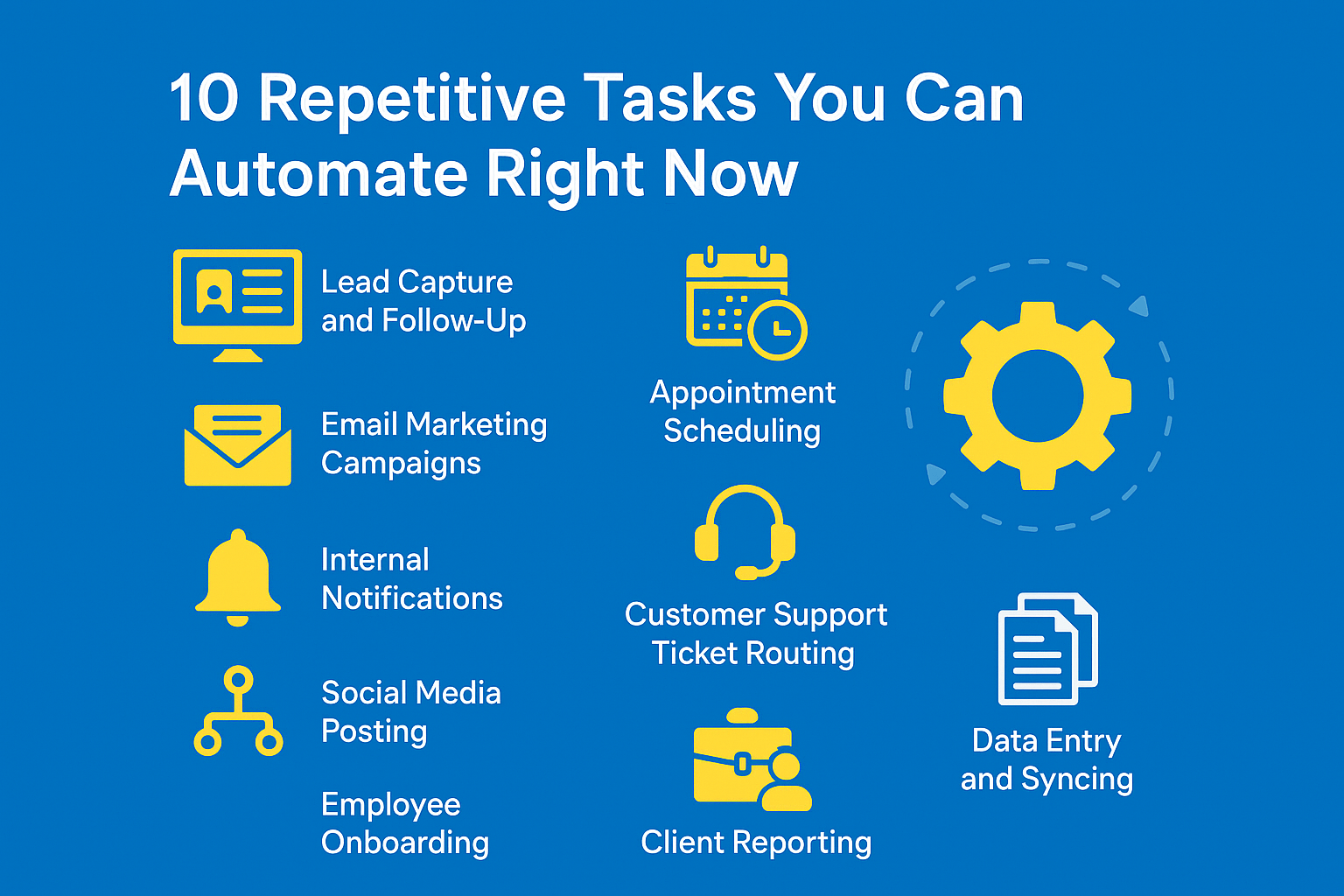
Many small businesses want to automate admin tasks small business because it can really help streamline their office work. This covers a lot of daily jobs like managing new employee paperwork, handling time-off requests, updating internal lists, and making regular reports. Special tools called Robotic Process Automation (RPA) can act just like a person using a computer to do these jobs.
Automate Data Entry
This is one of the most common and boring jobs. It takes a lot of time and can lead to many mistakes. To automate data entry, you can use technology like Optical Character Recognition (OCR). This tech can read information from documents like invoices, forms, or receipts. Then, it automatically puts that information into your spreadsheets, customer management systems (CRMs), or accounting software. This saves a lot of time, reduces errors, and keeps your information always up-to-date.
Automate Appointment Scheduling
No more endless emails trying to find a time that works for everyone! Tools like Calendly, Acuity Scheduling, or HubSpot Meetings can automate appointment scheduling. These platforms let your clients or customers see your available times and book appointments directly. They automatically send confirmations and reminders, and can even link up with video call tools.
Document Management & Report Generation
Automated systems can sort, store, and find your documents much more easily. Instead of building reports from scratch every time, automation can use templates to create regular reports, like weekly sales updates or monthly expense lists, using pre-set information. This saves many hours compared to doing it by hand.
b. Customer Service & Engagement
When you automate customer service process, you can give faster and more consistent help to your customers.
- Chatbots: Imagine a smart computer program that can talk to your customers. These AI-powered Chatbots can give instant answers to simple questions (like FAQs, order status, or simple fixes) right away, any time of day or night. This lets your human customer service team focus on harder problems.
- Automated Ticket Routing: When a customer sends a message asking for help, smart help desk software can automatically sort it. It looks at keywords or how urgent the problem is, then sends it to the right person or team. This helps solve problems much faster.
- Feedback Collection: After a customer buys something or talks to your team, automated surveys (like asking “how likely are you to tell a friend about us?”) can be sent out. This gives you valuable information about what customers think, all without any extra work from you.
- Personalized Communication at Scale: Using information you have in your CRM (customer relationship management) system, you can send automated, personal emails. These could be birthday greetings or suggestions for products they might like. It makes customers feel special without you having to write each email by hand.
c. Sales & Lead Management
Learning how to automate lead management helps your sales process flow smoothly, from when you first connect with someone to when they become a paying customer.
- Lead Capture & Assignment: When someone fills out a form on your website, their information can automatically go straight into your CRM. You can even set rules to send these new leads to a specific sales person based on where they live or what they are interested in.
- Lead Qualification: Automated systems can score how valuable a potential customer (lead) is. They look at things like which pages they visited on your website, if they opened your emails, or what content they downloaded. This helps your sales team know which leads are most likely to buy, so they can focus their efforts.
- Nurture Sequences: These are automated email campaigns that send a series of messages to potential customers over time. They teach them about your products or services and gently guide them closer to making a purchase.
- CRM Integration: A well-connected CRM system is at the heart of all this. It brings together all the information about your potential customers, making it easy to track their journey and ensure they get timely follow-ups.
d. Marketing Operations
Knowing how to automate email marketing is a super important part of digital marketing.
- Drip Campaigns: These are automated series of emails that are sent based on what a person does. For example, if someone signs up for your newsletter, they might get a welcome email, then another about your top products a few days later. Or if they put something in their online shopping cart but don’t buy it, they might get a reminder email. These deliver the right message at just the right time.
- Segmentation: You can automatically sort your audience into different groups based on things like their age, what they’ve bought before, or how they interact with your website. This makes sure each group gets messages that are very specific and personal to them.
- Personalized Follow-ups: Beyond just using someone’s name, automation can suggest content, special deals, or reminders based on what a user likes or what they’ve done in the past.
- Social Media Scheduling & Content Distribution: Tools like Buffer or Hootsuite let businesses plan and schedule their social media posts ahead of time. You can post the same content across different social media sites and see who is talking about your brand, all without having to do it by hand all day.
e. Financial Management
Automate Invoicing and Billing
This is a very important part of any business, and manual errors here can be costly. To automate invoicing and billing, you can use systems that automatically create and send invoices based on a set schedule or when a project is finished. These systems can also send automatic reminders for payments, match payments with invoices, and even flag accounts that are overdue. This helps ensure you get paid on time and greatly reduces the paperwork.
Automate Payroll Process
For small businesses, managing payroll can be tricky because of different rules for wages, taxes, and deductions. To automate payroll process, special systems can accurately and consistently calculate wages, deductions, and taxes, and then create pay stubs. They also help make sure you follow all the labor and tax laws, reducing the risk of expensive mistakes. These systems can even link up with time-tracking software for an even smoother process.
Expense Tracking & Financial Reporting
Automation can make keeping track of employee expenses much easier. It can sort them into categories and then create financial reports. Tools can scan receipts, sort transactions, and put the information straight into your accounting software. This gives you a clear, up-to-the-minute view of how healthy your company’s money situation is.
Essential Tools & Solutions for Business Automation
Choosing the right tools is key to making automation work well for your business. Small businesses often find success using a mix of connected platforms and special software.
The Role of CRM (Customer Relationship Management)
For most small businesses, a CRM system is like the brain of their automation plan. It’s all about CRM automation for small business. A CRM brings all your customer information, sales goals, marketing efforts, and customer service talks into one place.
- Sales Automation: CRMs can automatically capture new potential customers, score how likely they are to buy, assign tasks to sales people, and send reminders for follow-ups.
- Marketing Automation: When connected, CRM tools can power your email marketing campaigns, sort your audience, and make your messages more personal.
- Service Automation: CRMs help create, send, and track customer support tickets automatically.
- Benefit: By gathering all these jobs in one spot, CRM platforms like HubSpot, Salesforce Essentials, Zoho CRM, or Freshsales give you a full picture of your customer’s journey. They make sure all your interactions are consistent and automated. www.smb-automation-resource.com/crm-benefits
Dedicated Automation Platforms (Integration Platforms as a Service – iPaaS)
Tools like Zapier and Make (formerly Integromat) are like special glue. They connect different online applications and create automated workflows between them. They are super valuable for small businesses that use many different software programs.
- Functionality: These platforms let you create “zaps” or “scenarios” (which are automated steps). For example, if a new customer lead comes in from a website form (like Typeform), it can automatically create a new contact in your CRM (like Salesforce), send a welcome email (using Mailchimp), and even add a task to your project management tool (like Asana).
- Benefit: These tools get rid of the need to manually move information between different systems, keeping your data correct and saving you a lot of time. They are often “low-code” or “no-code,” which means you don’t need to be a computer programmer to use them.
Specialized Software
Many businesses also depend on tools made for specific jobs. These often have automation built-in or can connect with iPaaS platforms.
- Accounting Software: Programs like QuickBooks Online, Xero, and FreshBooks automate invoicing, tracking expenses, matching bank statements, and making financial reports.
- Marketing Automation Platforms: Mailchimp, ActiveCampaign, and Constant Contact offer strong email automation, audience sorting, and ways to keep potential customers interested, often going beyond what a basic CRM can do.
- Project Management Tools: Asana, Trello, ClickUp, and Monday.com automate task assignments, reminders, and updates on how projects are doing, keeping teams organized and on schedule.
- HR Software: BambooHR and Gusto automate tasks like bringing new employees onboard, managing time off, and creating basic HR reports.
- Customer Support Platforms: Zendesk and Freshdesk automate managing customer tickets, creating help articles, and offering ways for customers to help themselves.
Cloud-based Solutions and Integrations
Most of the tools we’re talking about are cloud-based SaaS (Software as a Service) solutions. This means you pay a subscription to use them online, you don’t need to install complicated software on your own computers, and they can grow with your business. The best part is that they often have APIs (Application Programming Interfaces). These are like special ways for different software programs to “talk” to each other. This creates a smooth, connected system where all your automated tasks work together.
Getting Started with Business Process Automation: A Practical Roadmap for Small Businesses
Putting automation into practice the right way needs a smart plan, not just picking tools randomly. Here’s a simple roadmap for small businesses to start strong.
Identify Your Biggest Pain Points and Most Repetitive Tasks First
Start by looking closely at how your business works.
- Detail: Ask your employees to write down their daily tasks. Pay special attention to jobs that are done over and over, take a lot of time, are likely to have mistakes, or that nobody likes doing.
- Quantify Impact: Try to guess how much time these tasks take and how much a mistake might cost. Focus first on tasks that eat up the most time, happen most often, or cause the most problems.
- Listen to Your Team: Your employees are on the front lines, so their feedback is super important. They know best which tasks are the most draining and least productive.
Start Small, Test, and Iterate
Don’t try to automate everything at once!
- Detail: Pick one or two tasks that are fairly simple but will make a big difference. This is your first try, your “pilot project.” It lowers your risk and helps your team learn how automation works.
- Proof of Concept: Put the automation in place, watch how well it works, and ask for feedback. Is it saving time? Are there fewer mistakes? Is it easy to use?
- Iterative Improvement: Be ready to tweak and improve your automated steps. Automation is not a “set it and forget it” process; it requires ongoing optimization.
Celebrate your small successes to build excitement and get everyone on board.
Research and Select the Right Tools for Your Specific Needs
After you know which problems you want to solve, it’s time to find the right tools.
- Define Requirements: Make a list of exactly what you need a tool to do. Think about your budget, how good your team is with technology, and what software you already use.
- Compatibility and Integration: Choose tools that connect easily with your current systems (like your CRM, accounting software, or email platform). This is where iPaaS tools like Zapier are very helpful.
- Scalability & Ease of Use: Pick solutions that can grow as your business grows. Also, look for tools that are easy to use and offer good customer support, especially if you don’t have a big IT team.
Train Your Team Effectively
Introducing automation means changes, and people can sometimes resist change.
- Change Management: Clearly explain why you are using automation. Tell your team it’s to free up their time for more important work, not to replace their jobs.
- Comprehensive Training: Give your team full training on how to use the new tools and how their jobs might change. Highlight the personal benefits for them – less boring work and more fulfilling tasks.
- Support & Resources: Set up clear ways for your team to get help and ask questions. Provide helpful guides, video tutorials, or even have a few team members become “automation champions” to help others.
Monitor Performance and Continuously Optimize
Once automation is running, you need to keep an eye on it.
- Define KPIs: Set up ways to measure how successful your automation efforts are. These are called Key Performance Indicators (KPIs). Examples include how much time you’ve saved, how many fewer mistakes are made, how much money you’ve saved, or how happy your customers are.
- Regular Review: Check on your automated processes regularly. Are they still working well? Are there new problems popping up? Are the tools still meeting your needs?
- Adaptation: The business world and technology are always changing. Be ready to adjust your automation plans and look for new tools or features as they become available. Keeping things optimized means automation will always be a valuable asset for your business.
Conclusion: Unlock Your Business’s Full Potential Through Automation
To wrap things up, learning how to automate repetitive tasks in business isn’t just about getting new technology. It’s about completely rethinking how your work gets done. For small businesses, this change is a powerful way to get past common problems and achieve incredible growth.
We’ve seen how smartly using automation leads to:
- Much greater efficiency and productivity: Your team can focus on big, important ideas.
- Real cost reduction: You save money on operations and fewer mistakes.
- Better accuracy: Fewer human errors mean more reliable work.
- Improved employee morale: Your team is happier doing more engaging work.
- Enhanced customer experience: Customers get faster, more consistent, and personalized service.
- The ability to scale: Your business can grow bigger without hitting roadblocks.
By finding your business’s weak spots, starting with small but impactful automations, carefully picking the right tools (including the crucial role of CRM automation for small business), and always checking how well they work, you can build a strong automated system. This doesn’t just make your current processes smoother; it gives your business the power to be quick, competitive, and ready for future challenges and chances.
The message is clear: embrace the smart step of learning to automate repetitive tasks in business. This will bring in a new time of greater output, efficiency, and steady growth, helping your business truly reach its full potential.
Frequently Asked Questions
Q: What are the main benefits of automating tasks for a small business?
A: Automating tasks significantly boosts efficiency and productivity, reduces operational costs, minimizes human error, improves employee morale by freeing them from mundane tasks, enhances customer experience with consistent service, and provides the scalability needed for growth.
Q: Which areas within a small business are best suited for automation?
A: Key areas include administrative tasks (data entry, scheduling, document management), customer service (chatbots, ticket routing), sales and lead management (lead capture, nurturing), marketing operations (email campaigns, social media scheduling), and financial management (invoicing, payroll, expense tracking).
Q: What kind of tools are essential for implementing business automation?
A: Essential tools include CRM systems (like HubSpot, Salesforce) for centralizing customer data and automating sales/marketing/service, Integration Platforms as a Service (iPaaS) like Zapier or Make for connecting different applications, and specialized software for accounting, marketing, project management, and HR.
Q: How should a small business start its automation journey?
A: Begin by identifying your biggest pain points and most repetitive tasks. Start with one or two small, impactful pilot projects. Thoroughly research and select tools that meet your specific needs and integrate well with existing systems. Crucially, train your team effectively and continuously monitor and optimize your automated processes.
Q: Will automation replace my employees?
A: For small businesses, automation is generally not about replacing employees but rather empowering them. It handles the mundane, repetitive tasks, freeing up your team to focus on more strategic, creative, and customer-centric work that requires human judgment and interaction. It allows your business to scale without proportionally increasing headcount.