

The Power of Business Automation for Small Business: Unlocking Growth and Efficiency
Estimated reading time: 25 minutes
Key Takeaways
- Business automation transforms repetitive tasks into efficient, automated workflows, freeing up valuable time and resources for small businesses.
- Key benefits include *increased efficiency*, *cost reduction*, *improved accuracy*, and *enhanced customer experience*.
- Small businesses can start by identifying repetitive tasks in areas like marketing, sales, and administration.
- Many *affordable and accessible automation tools* exist, including freemium models and tiered pricing.
- Embracing automation is crucial for competitive advantage and sustainable growth in the digital era.
Table of contents
- The Power of Business Automation for Small Business: Unlocking Growth and Efficiency
- Key Takeaways
- What is Business Automation? (And Why It Matters for Small Businesses)
- The Undeniable Benefits of Automation for Small Business
- How to Automate Small Business Processes: A Practical Guide
- Essential Small Business Automation Tools & Automation Services for Small Business
- Making Automation Accessible: Automation Solutions for Startups and Budget-Conscious Businesses
- Conclusion
- Frequently Asked Questions
Running a small business is an exciting adventure, but it often comes with a big pile of challenges. Owners and their teams usually find themselves wearing many hats, trying to do countless jobs all at once. Time feels very short, and money and people resources are often much smaller than what big companies have. You also face tough competition, and there are always many small, repeated tasks that eat up your day. These tasks can stop you from focusing on important things like thinking about the future or making your customers super happy. This common struggle is something many small businesses know too well. [Source: U.S. Small Business Administration (SBA), Forbes, Inc.]
But what if there was a way to make things easier? This is where business automation for small business comes in as a truly important solution. Think of it not just as a fancy new tech idea, but as a smart way to change how your business works. Automation can help level the playing field, making your small business as efficient and quick-moving as bigger companies. It’s about using smart tools to handle those challenges, making your business run smoother and grow stronger. [Source: Harvard Business Review, McKinsey & Company]
This post will make it easy to understand what is business automation. We will explain its main ideas, show you the amazing benefits of automation for small business, and give you easy steps on how to automate small business processes. We will also share helpful small business automation tools and automation services for small business. Plus, we’ll look at easy-to-use automation solutions for startups and businesses that need to watch their budget carefully.
What is Business Automation? (And Why It Matters for Small Businesses)
Let’s start with a simple question: what is business automation? In simple words, business automation means using technology to do tasks or processes in your business that happen over and over again, with very little help needed from a person. It’s also called Business Process Automation (BPA). It’s like teaching a computer program or a smart system to do specific actions or steps that you would normally do by hand.
This goes beyond just using simple computer tools. It’s about getting different computer programs and information to “talk” to each other. This creates a smooth chain of automated steps. So, instead of a person having to do each part of a task, the computer system handles it automatically. This works best for jobs that are predictable and follow clear rules, making it so much easier for humans to focus on other things. [Source: Gartner, Accenture]
Business Process Automation Explained with Examples
To give you a clearer picture, let’s dive into business process automation explained with some examples that small businesses deal with every day. Remember, BPA focuses on making specific, often cross-team, business steps run by themselves. [Source: Deloitte, Forrester]
- Example: Invoicing Automation
- Imagine you finish a job for a client. Instead of you needing to create an invoice by hand, write out all the details, print it, and then mail or email it, automation can do all of this for you.
- The system can automatically make the invoice when the job is marked as “done.”
- It can then send the invoice directly to your client.
- If the client forgets to pay, the system can automatically send friendly reminders.
- It can even record that the payment was made in your accounting software, all without you lifting a finger!
- Example: Customer Service Automation
- Your customers often ask similar questions, right? Instead of a person always having to answer these basic questions, automation can help.
- Chatbots (computer programs that talk like people) or automated “Frequently Asked Questions” sections can answer common questions instantly.
- If a customer has a new problem that needs more help, the system can automatically create a support ticket.
- It can then send an email to the customer saying, “We got your message!”
- The system can even assign the ticket to the right person on your team and remind them if it’s not handled within a certain time.
- Example: Marketing Email Automation
- Getting new customers interested and keeping old ones happy often means sending emails. Automation is fantastic for this.
- You can set up automated email “sequences.” For example, when someone signs up for your newsletter, they automatically get a “welcome” email, then a few days later, another email with helpful tips, and so on.
- If a customer puts items in their online shopping cart but doesn’t buy them, automation can send a reminder email.
- After someone buys something, you can send an automated “thank you” email or ask for their feedback. This ensures timely and personal messages go out without you having to manually send each one.
- Other Useful Examples:
- Automated social media posting: Tools that let you schedule posts to Facebook, Instagram, or X (formerly Twitter) ahead of time.
- Lead capture and qualification: When someone fills out a form on your website, their information automatically goes into your customer list, and the system can even figure out if they are a good potential customer.
- Appointment scheduling: Customers can book meetings or appointments directly through an online calendar, which automatically updates your own schedule.
- Onboarding new employees: When you hire someone new, automation can send them all the important documents, training materials, and welcome messages they need, making their first day smoother.
Linking Automation to Digital Transformation for Small Businesses
This idea of using automation is a huge part of something bigger called digital transformation for small businesses. This isn’t just about having a website or using a computer. It’s about truly changing how your business runs by bringing digital technologies into every part of what you do. It’s about making your business better and giving more value to your customers.
Think of business automation as the engine that makes this digital transformation happen. It moves your business away from old ways, like using lots of paper or doing everything by hand. Instead, it helps you switch to digital systems that use data, are connected, and flow smoothly. This doesn’t mean changing everything overnight. It means slowly adding digital tools to make things more efficient, give customers a better experience, and help you stay ahead of the competition. Automation is key to making your small business strong in our digital world. [Source: TechCrunch, World Economic Forum]
The Undeniable Benefits of Automation for Small Business
Now that we know what automation is, let’s look at why it’s so powerful. The benefits of automation for small business are truly game-changing. These advantages can help your company save money, save time, and grow bigger. [Source: U.S. Chamber of Commerce, Entrepreneur, SMB Group reports]
- Increased Efficiency and Productivity
- Imagine if your employees didn’t have to spend hours each week typing in data or sending the same email over and over. Automation takes away these boring, repeated tasks.
- This frees up your team to do more interesting and important work. They can focus on creative ideas, solving problems, and thinking about what’s next for the business.
- When tasks are automated, they get done faster and without hiccups. This means your business can produce more good work with the same number of people, or even fewer! For example, automated data entry can drastically cut down on the time your staff spends on paperwork, making them much more productive.
- Cost Reduction
- Automation can directly help you save money. When tasks are done by technology instead of people, you reduce the labor costs that come with manual work.
- It can cut down on overtime pay because tasks are completed more quickly.
- Sometimes, it can even mean you don’t need to hire extra people just to do administrative jobs that a computer can handle.
- Automation also helps lower the cost of fixing mistakes, as computers make fewer errors than humans. When processes are optimized, you waste fewer materials or resources, making your budget go further.
- Improved Accuracy and Reduced Errors
- Let’s be honest, people make mistakes. Especially when we’re doing the same thing over and over, like typing numbers or filling out forms. These human errors can cost money and time to fix.
- Automation, once set up correctly, does tasks exactly the same way every single time. It doesn’t get tired or distracted.
- This greatly reduces mistakes in things like invoicing, managing your customer information, keeping track of products, and sending messages to customers. Fewer mistakes mean less time spent fixing problems and more reliable operations for your business.
- Enhanced Customer Experience
- Happy customers are loyal customers. Automation can help you make your customers much happier.
- It allows your business to respond much faster. Think of instant replies from chatbots or quick automated email confirmations.
- Customers get consistent messages and timely updates. You can also offer personalized experiences at a large scale, like sending them special offers based on what they’ve bought before.
- Prompt service and relevant communication lead to higher customer satisfaction. For example, automated scheduling and reminder emails can drastically reduce the number of customers who miss their appointments.
- Better Decision-Making Through Data
- Knowing what’s happening in your business is key to making smart choices. Automated systems are excellent at collecting, organizing, and looking at data much faster and better than any human.
- This gives small business owners up-to-the-minute insights into things like how many sales you’re making, what your customers like, how well your operations are running, and if your marketing is working.
- With accurate and complete information, you can make much smarter, more informed decisions about your business strategy. This might include deciding what products to focus on or where to spend your marketing money.
- Freeing Up Time for Strategic Tasks and Growth
- For small business owners, this is perhaps the most important benefit. You are often bogged down with daily tasks.
- By letting automation handle the routine work, you get back precious time. This invaluable time can then be used to focus on what truly grows your business.
- You can spend more time developing new products or services, building stronger relationships with your clients, researching new markets, and thinking about the overall direction of your business.
- This shift from just managing daily operations to leading with strategy is super important for making your business scalable and successful for a long, long time.
How to Automate Small Business Processes: A Practical Guide
Ready to get started? Learning how to automate small business processes might seem like a big step, but it’s totally manageable. The secret isn’t to automate everything at once, or just for the sake of it. Instead, you should pick processes that will give you the biggest return on your time and money (ROI). Start small, learn, and then grow your automation efforts. [Source: Capgemini, Inc. Magazine]
Identify Common Areas for Automation
Many parts of your business are perfect for automation. Here are some common areas where small businesses can see big gains:
- Marketing:
- Automating email campaigns: Setting up emails that send themselves based on what customers do, like a welcome series for new sign-ups or emails reminding them about sales.
- Social media scheduling: Planning and posting your social media updates ahead of time.
- Lead generation forms: Automatically capturing details from people interested in your business when they fill out a form on your website.
- Content distribution: Sharing your blog posts or news automatically across different platforms.
- Analytics reporting: Getting automatic reports on how well your marketing is working.
- Sales:
- Lead scoring and nurturing: Automatically figuring out how likely a potential customer is to buy and sending them helpful information over time.
- CRM (Customer Relationship Management) updates: Making sure customer details are always up-to-date in your system.
- Quote generation: Automatically creating price quotes for customers.
- Follow-up reminders: Getting reminders to contact potential clients.
- Contract management: Automating the sending and signing of agreements.
- Appointment booking: Letting customers book sales calls directly on your calendar.
- Administration:
- Document management: Organizing and storing files automatically.
- Data entry: Automatically putting information into spreadsheets or databases.
- Calendar management: Automatically adding meetings and appointments.
- Task assignment: Automatically giving tasks to team members based on rules.
- Meeting scheduling: Sending out meeting invites and reminders automatically.
- Human Resources (HR):
- Onboarding new hires: Automatically sending welcome emails, sharing important documents, and assigning training to new employees.
- Payroll processing reminders: Getting automatic nudges when it’s time to process salaries.
- Performance review scheduling: Automating the setting up of employee reviews.
- Time tracking: Systems that automatically log employee hours.
- Finance:
- Invoicing: Creating and sending customer bills automatically.
- Expense tracking: Automatically logging business spending.
- Bank reconciliation: Matching your bank statements with your accounting records.
- Recurring billing: Automatically charging customers for subscriptions or regular services.
- Payment reminders: Sending gentle nudges to customers with overdue payments.
- Basic bookkeeping entries or financial reporting: Automatically recording transactions and generating simple financial reports.
A Step-by-Step Approach for Implementing Automation
Here’s a simple, step-by-step guide to help you bring automation into your small business. [Source: CIO Magazine, various Business Process Management (BPM) guides]
- Identify Repetitive, Time-Consuming Tasks
- What to do: Start by listing all the tasks you or your team do regularly. Then, think about which ones are done over and over again, follow clear rules, are often where mistakes happen, or take up a lot of time without adding much direct value. Look for tasks that slow things down or create bottlenecks in your daily work.
- Why it matters: These are the “low-hanging fruit” – the best places to start because automating them will give you the biggest relief and the fastest results.
- Map Current Processes
- What to do: Once you’ve picked a task, write down exactly every single step involved. Who does what? When do they do it? What information do they need to start the task (inputs)? What comes out of the task (outputs)? You can use simple bullet points or even draw a basic flowchart.
- Why it matters: This mapping helps you see all the steps clearly. It will show you where things are inefficient or where problems might pop up. It also gives you a clear blueprint for how the automated version should work.
- Define Automation Goals and Desired Outcomes
- What to do: Before you even look at tools, decide what you want to achieve. Be very specific. Instead of saying, “I want to save time,” say, “I want to reduce the time spent on invoicing by 50% within three months” or “I want to improve customer response time by 24 hours for all incoming inquiries.”
- Why it matters: Clear, measurable goals help you pick the right tools and, later, tell if your automation efforts are actually working.
- Research and Choose the Right Tools/Services
- What to do: Now that you know your process and your goals, it’s time to look for software, platforms, or even expert help. Think about how easy the tool is to use, if it can connect with other computer programs you already use, if it can grow with your business, and, of course, the cost. Focus on tools made especially for small businesses.
- Why it matters: The right tools make all the difference. Don’t pick something too complicated or too expensive if a simpler option will do the job.
- Implement and Test
- What to do: Don’t roll out automation to everyone all at once. Start small with a “pilot program” or a test run. Use real information to test the automated process thoroughly. Make sure it works just as you expect and connects smoothly with any other systems. Ask for feedback from the people who will be using it to find any problems.
- Why it matters: Testing helps you catch mistakes before they become big problems. It also lets you fine-tune the system to make it perfect for your business.
- Monitor, Refine, and Scale
- What to do: Once your automated process is running, keep an eye on it. Check if it’s meeting your goals. Gather numbers and facts to see how much it’s helping. If something isn’t working perfectly, make changes. When it’s stable and successful, look for other tasks in your business that could benefit from similar automation, leading to greater workflow optimization.
- Why it matters: Automation isn’t a “set it and forget it” thing. It needs a little care to stay effective. By monitoring and refining, you make sure it keeps delivering value. Then, you can use what you’ve learned to automate even more parts of your business, leading to greater workflow optimization.
Essential Small Business Automation Tools & Automation Services for Small Business
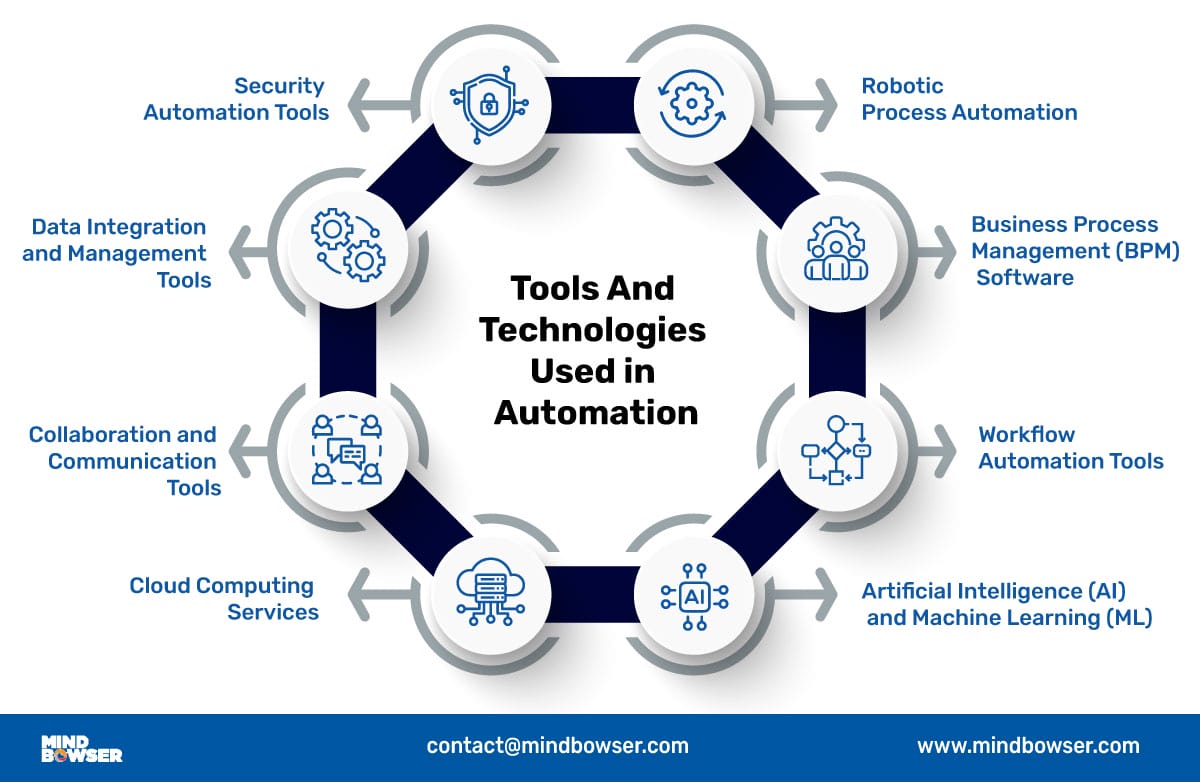
Choosing the right small business automation tools can feel overwhelming, but there are many great options out there. Many are designed specifically to help smaller companies streamline operations and improve efficiency. Also, don’t forget that sometimes getting a little expert help through automation services for small business can make a huge difference! [Source: Capterra, G2 Crowd, PCMag, TechCrunch]
Common Categories of Small Business Automation Tools
Here are some popular types of automated software and their examples:
- CRM (Customer Relationship Management) Software
- What they do: These powerful tools help you keep track of all your customer information, manage your sales process, and handle communication. They automate things like tracking potential customers (leads), sending follow-up reminders, and organizing all your customer data in one place.
- Examples:
- HubSpot CRM (free tier available): Excellent for managing leads, sales pipelines, and customer interactions, with a generous free plan for basic needs.
- Salesforce Essentials: A simpler version of the powerful Salesforce platform, designed for small businesses.
- Zoho CRM: Offers a wide range of features for sales and marketing automation.
- Pipedrive: Known for its visual sales pipeline management, helping you see where every deal stands.
- Email Marketing Platforms
- What they do: These digital assistants let you automate your email sending. You can create sequences of emails (like welcome series or product promotions), divide your customers into groups, test which emails work best, and see how well your emails are doing. They are vital for scalable marketing efforts and consistent communication.
- Examples:
- Mailchimp: Very popular, with a free plan for beginners, offering email automation, audience segmentation, and basic reporting.
- Constant Contact: Known for its user-friendly interface and strong customer support.
- ActiveCampaign: Offers more advanced marketing automation, including customer journey mapping.
- ConvertKit: Specifically designed for creators and online businesses, focusing on audience growth and email funnels.
- Project Management & Collaboration Tools
- What they do: These tools help your team work together more smoothly. They automate task assignment, send deadline reminders, let you track project progress, and centralize team communication. This ensures everyone knows what to do and projects stay on track.
- Examples:
- Trello: Uses a simple “kanban board” style to organize tasks into lists and cards, great for visual thinkers.
- Asana: Helps teams manage projects and tasks, offering various views like lists, boards, and timelines.
- Monday.com: A highly visual platform that helps teams plan, track, and deliver their work.
- ClickUp: An all-in-one productivity platform offering tasks, docs, chat, goals, and more.
- Accounting & Invoicing Software
- What they do: These automated software solutions take the pain out of managing your money. They automate invoicing, track your expenses, help reconcile your bank accounts, process payments, and create financial reports. This greatly reduces manual bookkeeping effort.
- Examples:
- QuickBooks Online: A very popular cloud-based accounting solution for small businesses.
- Xero: Offers beautiful accounting software for small businesses, with strong bank feed integration.
- FreshBooks: Known for its easy-to-use invoicing features, especially popular with freelancers and service-based businesses.
- Integration Platforms (No-Code/Low-Code)
- What they do: These are incredibly powerful workflow tools. Imagine you have two different apps that don’t usually talk to each other (like your CRM and your email marketing tool). These platforms act as a bridge, allowing you to create custom automated workflows between various software. This is also known as “robotic process automation” for connecting different systems.
- Examples:
- Zapier: Lets you connect thousands of apps and automate tasks between them (e.g., a new lead in your CRM automatically adds them to your email list).
- IFTTT (If This Then That): Similar to Zapier, it creates simple automated “recipes” between apps and devices.
- Microsoft Power Automate: Helps automate workflows across your favorite apps and services (especially powerful if you use Microsoft 365).
- Customer Support Systems
- What they do: These platforms help you manage customer inquiries and provide better service. They can automate the creation of support tickets, offer chatbots to answer common questions instantly, and integrate knowledge bases so customers can find answers themselves.
- Examples:
- Zendesk: A comprehensive platform for customer service, offering ticketing, live chat, and a knowledge base.
- Freshdesk: Another popular customer support software with ticketing, self-service, and automation features.
- Intercom: Focuses on customer messaging, offering chat, email, and self-serve help to engage customers throughout their journey.
The Value of Automation Services for Small Business
Sometimes, even with great tools, you might need a helping hand. For small businesses that don’t have a lot of tech experts in-house, or if your automation needs are a bit tricky, professional automation services for small business can be super valuable. [Source: Research Summary]
- Consultants: These are experts who can look at your current business processes, find out where automation would help the most, recommend the best tools, and help you create a smart plan for your automation journey.
- Implementation Specialists: These are companies or freelance experts who actually set up and connect the software solutions you choose. They build custom workflows using tools like Zapier and make sure all your old data moves smoothly to the new systems.
- Managed Automation Services: Some providers offer ongoing help. They will support, maintain, and make your automated systems even better over time. This means you can focus on running your main business without worrying about the tech side.
- Training & Support: These services teach your staff how to use the new automated systems. They also offer ongoing technical help to make sure everyone learns quickly and your automation projects are a big success.
Making Automation Accessible: Automation Solutions for Startups and Budget-Conscious Businesses
You might be thinking, “This all sounds great, but automation must be really expensive!” It’s true that some big companies spend a lot on automation. However, for automation solutions for startups and businesses that need to be careful with their money, modern technology has made powerful automation tools very affordable. Many top software services offer different pricing levels. This means you can start with basic, low-cost (or even free) plans and only pay more as your business grows and needs more features. The key is to find solutions that give you a lot of value for a small amount of money upfront. [Source: Entrepreneur, Forbes Small Business]
Affordable Automation Services for Small Businesses
Let’s look at some smart ways to get started with automation without breaking the bank:
- Freemium Models:
- Many software companies offer a “freemium” model. This means they have a completely free version of their tool that offers basic, but still very useful, features for small teams or simple needs. You don’t have to pay anything to get started!
- Examples:
- HubSpot CRM (free): Offers free customer relationship management tools.
- Trello (free): Great for task and project management.
- Mailchimp (free for limited contacts): Free email marketing for a certain number of subscribers.
- Google Workspace (with built-in automation via scripts or Add-ons): Many small businesses already use Google Docs, Sheets, and Gmail. These tools have clever ways to add automation using simple scripts or extra apps (Add-ons), often for free or a low cost.
- Microsoft 365 (with Power Automate for basic tasks): If you use Outlook, Word, and Excel, you can use basic features of Power Automate to link them up and automate tasks.
- Tiered Pricing:
- Most software services use tiered pricing. This means they have different plans (like “Basic,” “Pro,” and “Enterprise”) with different prices and features.
- Startups and small businesses can pick the entry-level plans. These are much cheaper than the plans for big companies but still give you the core automation features you need. As your business grows and you need more, you can easily upgrade to a higher tier to unlock more features or handle more users. This makes automation very scalable and cost-effective.
- Focus on High-Impact, Low-Cost Automation:
- The best strategy for budget-conscious businesses is to find tasks that take up the most time or lead to the most mistakes, and then find easy, affordable tools to automate *just those tasks*.
- For example, using free or low-cost tools like Buffer or Hootsuite to automate social media posts can save hours. Setting up simple auto-reply emails to common customer questions is another quick win. These small changes can have a big impact without much investment.
- Open-Source Solutions (with caution):
- “Open-source” software means its underlying code is free for anyone to use and change. Some open-source CRM or business systems exist (like Odoo Community Edition).
- The upfront cost for these is very low (often free for the software itself). However, they usually need someone with good technical skills to set them up and keep them running. For many startups without their own tech team, the overall cost (or “Total Cost of Ownership” – TCO) can end up being higher if you have to pay outside experts for help. So, use these with care!
- Utilizing Existing Tools More Effectively:
- Before buying new software, look at what you already have! Many businesses pay for services like Google Workspace or Microsoft 365. These suites have hidden automation features that can give you huge value without any extra software cost.
- For example, you can write simple scripts in Google Sheets to automate tasks, set up rules in Outlook to organize your emails, or use Power Automate to link your Microsoft apps.
To sum up, making automation accessible means using a smart mix of strategies. Always try free trials first to test tools before you commit. Choose tiered pricing models that let you grow your automation as your business grows, keeping costs manageable. And only consider open-source options if you have the technical know-how or reliable support. By combining these approaches, even the smallest business can start benefiting from powerful automation today.
Conclusion
Let’s wrap this up. The main message is clear: business automation for small business is no longer a fancy extra; it’s absolutely necessary if you want your business to do well in today’s fast-moving world. Automation is a core strategy that helps businesses of all sizes stay competitive and strong. For small businesses, it’s about making sure you survive and grow in a world that is always becoming more digital and demanding. Being efficient, responding quickly to customers, and making smart choices based on data are incredibly important. Automation helps small businesses compete shoulder-to-shoulder with bigger companies that have more money and people. [Source: MIT Sloan Management Review, The Economist]
By bringing in automation, you unlock so much value. It gives you back precious time, cuts down on costs, makes your work more accurate, and makes your customers happier. All these benefits of automation for small business directly lead to a business that is more agile (quick to adapt), more productive, and more profitable. It empowers you, the small business owner, to invent new things, reach more customers, and build stronger relationships. This all fuels steady and lasting growth for your business.
So, don’t wait! We encourage you to take that first step in your automation journey today. Start small. Pick just one or two tasks that really cause you problems or waste a lot of time. Experiment with some of the easy-to-use and affordable tools we talked about. It might seem a little scary at first, but we promise that the journey is manageable, and the rewards are significant. By embracing automation, you are setting your small business up for amazing success in the changing business landscape.
Frequently Asked Questions
- What is the first step to automating my small business?
The first step is to identify repetitive, time-consuming tasks that follow clear rules. These “low-hanging fruit” offer the quickest and most significant returns on your automation efforts.
- Is business automation expensive for small businesses?
Not necessarily! Many automation tools offer “freemium” models or tiered pricing, allowing small businesses and startups to begin with free or low-cost plans and scale up as their needs and budget grow. The key is to focus on high-impact, low-cost solutions.
- What are some common areas where small businesses can automate?
Common areas include email marketing, social media scheduling, lead generation, customer relationship management (CRM), invoicing, expense tracking, and even basic HR tasks like new employee onboarding. The goal is to free up time from routine tasks.
- How does automation improve customer experience?
Automation allows for faster response times (e.g., chatbots, automated email confirmations), consistent communication, and personalized experiences at scale. This leads to higher customer satisfaction and loyalty by ensuring timely and relevant interactions.
- Do I need technical expertise to implement automation?
While some advanced automation might require technical skills, many modern tools are designed to be user-friendly with “no-code” or “low-code” interfaces. Additionally, automation services and consultants can provide expert help for setup, implementation, and training.